Using Qbittorrent as a Service
Table of Contents
Idea Initiated:
Most torrents download quickly but once in a while something will take longer to download than I intended to leave my laptop on for. My preference would be for torrents to run on my Home Server as a service that I could connect to when I wanted to view the status of the download queue or add to it.
I was in luck because qbittorrent, my torrent client of choice, can do just that. I basically followed the instructions here tweaking only a few things.
Installation & Setup
Install:
sudo apt install qbittorrent-nox
Run, accept the legal disclaimer and then Ctrl-C:
# (port 80 is spoken for)
qbittorrent-nox --webui-port=8666
Edit /usr/lib/systemd/system/qbittorrent-nox@.service
add port to the command:
ExecStart=/usr/bin/qbittorrent-nox --webui-port=8666
Add to Startup:
sudo systemctl start qbittorrent-nox@josh
sudo systemctl enable qbittorrent-nox@josh
Handling Links
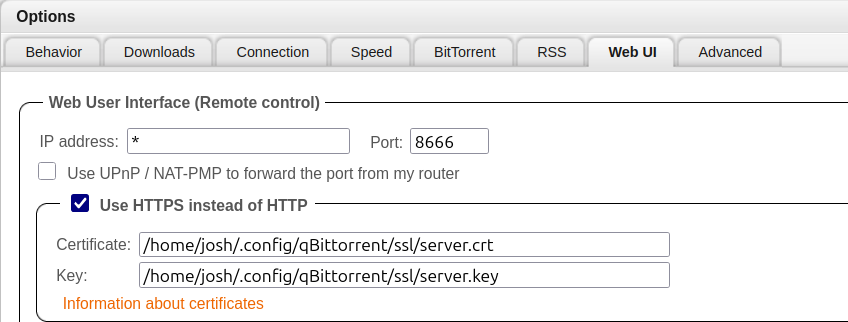
At this point everything works by navigating to the server's ip:port but there's just one thing missing; I can't click Magnet links to have the torrent added to my downloads. qBittorrent does give a way to register it (as a url) for magnet links but requires SSL. I went the low-tech route.
Create cert with openssl and self-register:
mkdir -p .config/qBittorrent/ssl
cd .config/qBittorrent/ssl
openssl req -new -x509 -nodes -out server.crt -keyout server.key
Set location in Tools -> Options...:
Register Magnet links:
